December 20, 2024
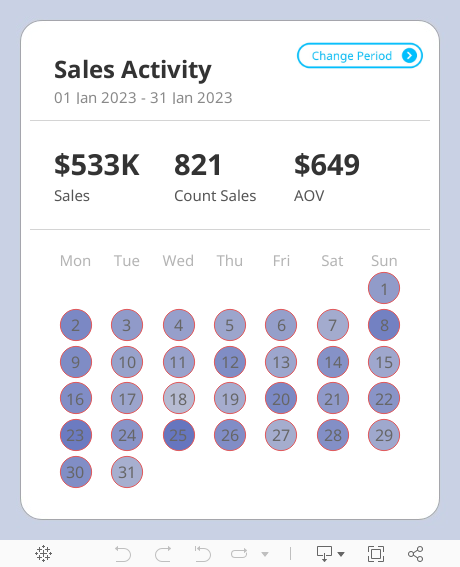
Create a Custom Calendar Widget

Thanks Nicholas for providing me with the data set and setting an example of how simple visualization can communicate data effectively.
If you're not already following Nicholas, do so. You're guaranteed to find inspirational designs for your dashboards.
No extensions required. I think you'll love the trick I did with the title so that you can't click on it.
Downloading the workbook so that you can reverse engineer it is one of the best ways to learn.
June 12, 2023
#MakeoverMonday 2023 Week 24 - Cereal and the Green Revolution: Yields vs. Land Use

At the global level, how has crop production changed over the last fifty years?
In this Watch Me Viz live stream, I analyzed how the yield and land use of producing cereal has changed over the last 50 years.
I really liked the original visualization, so I rebuilt it in Tableau. I learned how to use dynamic zone visibility, layout containers, and more. Check it out.
Resources:
1. Data - https://data.world/makeovermonday/2023w24
2. Final Dashboard - https://tabsoft.co/3P3Sdl3
===============
Watch Me Viz is a weekly live stream where I help people become better at #Tableau, #PowerBI and data analysis. I show how I take an existing visualization, critique it, analyze the data, and build several visualizations all the while looking for a "better" visualization than the original.
If you are considering participating in Makeover Monday, you can get started by downloading data sets from the Makeover Monday website. I promise you'll become better at data analysis and data visualization by practicing every week.
Data sets - https://www.makeovermonday.co.uk/data/
===============
LEARN FROM ME
Join my newsletter. Sign up at andykriebel.com.
ARE YOU INTERVIEWING FOR A NEW JOB?
Contact me for more information about how I can help you prepare for that big interview.
===============
CONNECT WITH ME
More Watch Me Viz - https://bit.ly/WatchMeViz2023
May 19, 2021
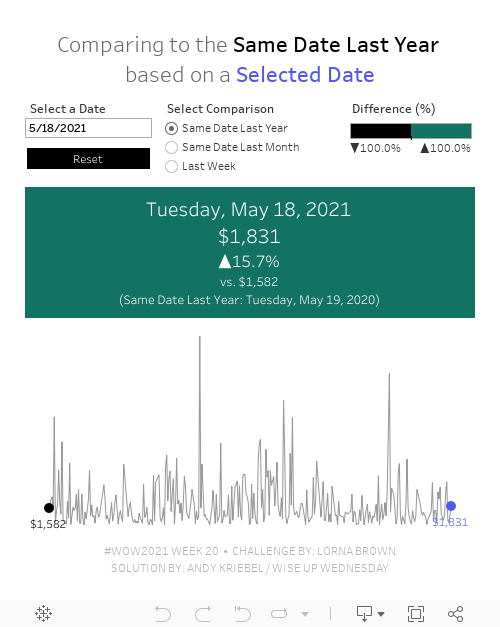
#WOW2021 Week 20: Can you compare Same Day to a Selected Date?

Wow! This workout will really test your knowledge of table calcs. The challenge comes from Lorna; view the requirements here.
The main purpose of this challenge is to get familiar with dates and parameters. Fortunately, every Wednesday I host what we call "Wise Up Wednesday" during lunch for my colleagues at The Information Lab and The Data School. We needed all of our brain power for this one. For us, the toughest part wasn't writing the calculations themselves. Rather, it was the logic required for the calculations.
From Lorna:
What if you want to compare a date you choose to the same DAY. For example, Tuesday 18th May 2021, would compare to Tuesday 19th May 2020 for the previous year, and Tuesday 20th April for the previous month. The reason you would want to do this is to compare the Tuesday to Tuesday.
This is where the logic gets tricky. We approached the solution by taking one version at a time, meaning we started by creating the calcs for the same day last year before we went onto the other two scenarios.
We got the in the end. I'd recommend building everything as a table, then change it into a chart later. It's much easier to follow what you calcs are doing.
Good luck! Here's our solution: