April 17, 2026
Build a Marginal Histogram with Map Layers in One Sheet


August 15, 2024
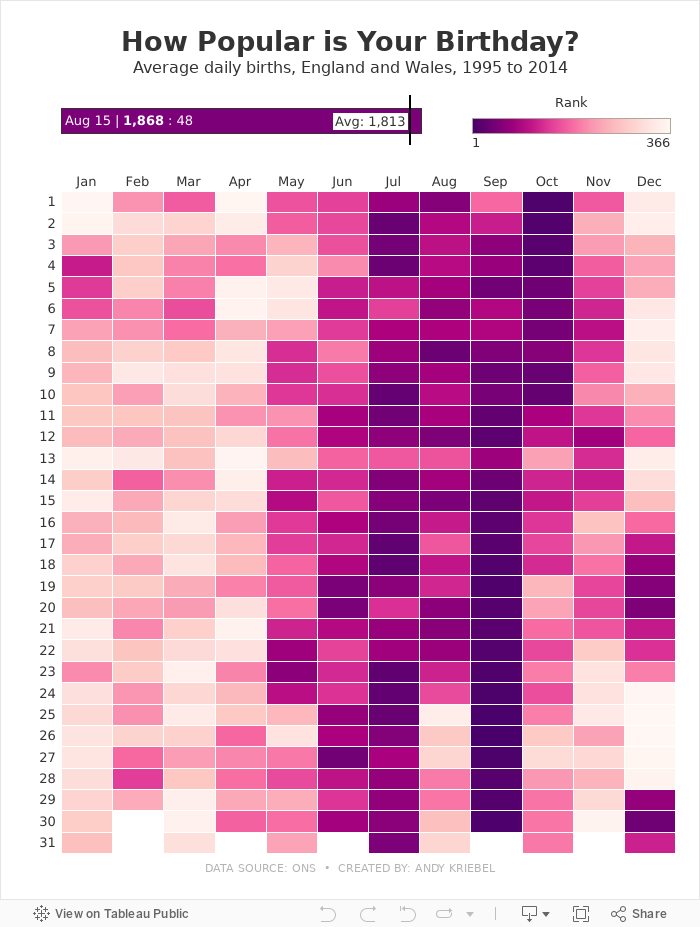
How Popular is Your Birthday?

Click on your birthday to see how popular it is.
June 25, 2024
How to Create a 9-Box Matrix in Tableau

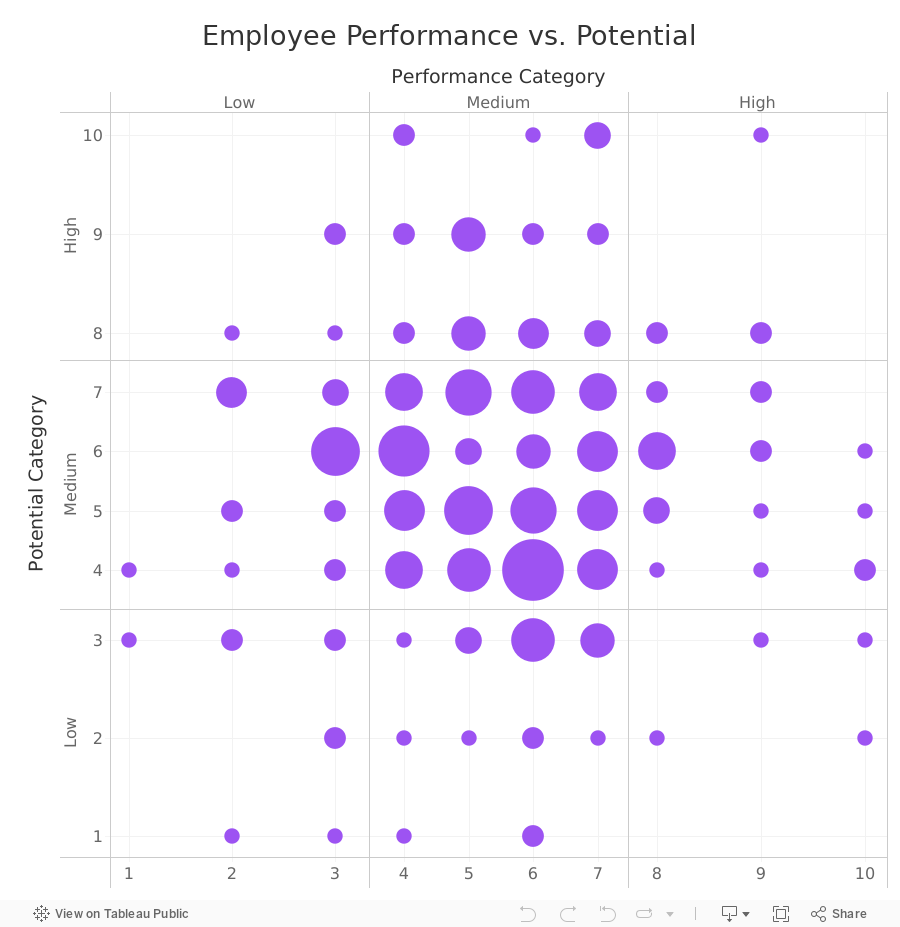
In this video, I show you how to build a 9-box matrix.
These are commonly used in talent management and HR to map a company's workforce along two dimensions, potential and performance.
Each of these two dimensions is split up into three categories, low, medium, and high, depending on the score.
For each employee performance is then plotted horizontally and potential is plotted vertically. From there, we summarize the number of employees that fall within each box.
April 6, 2024
How to Create a Heatmap in Tableau
A heat map is a good way of showing the patterns between 2 categories of data. They use color to encode the intensity of the relationships in the matrix.

March 1, 2023
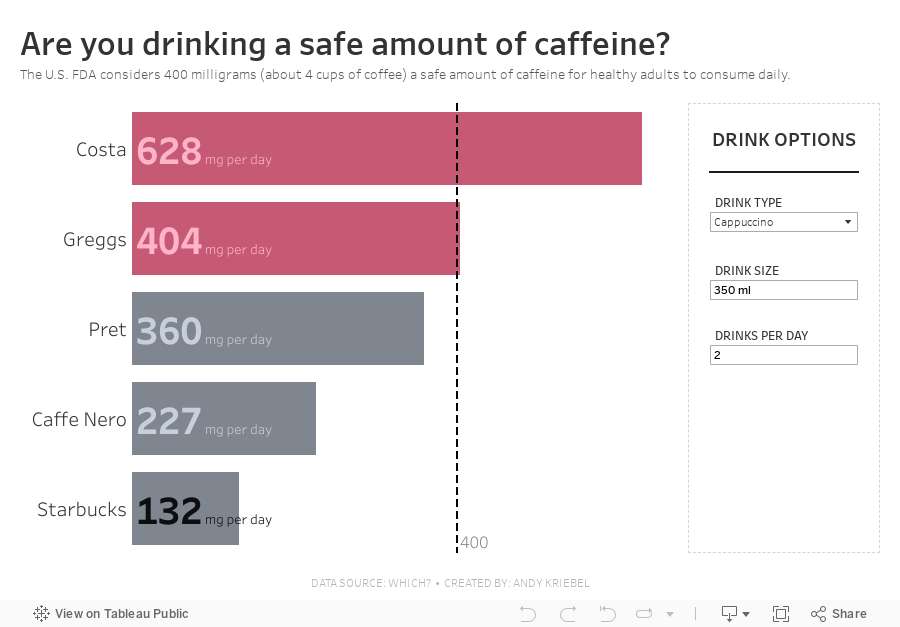
#MakeoverMonday 2023 Week 9 - Are you drinking a safe amount of caffeine?


November 22, 2022
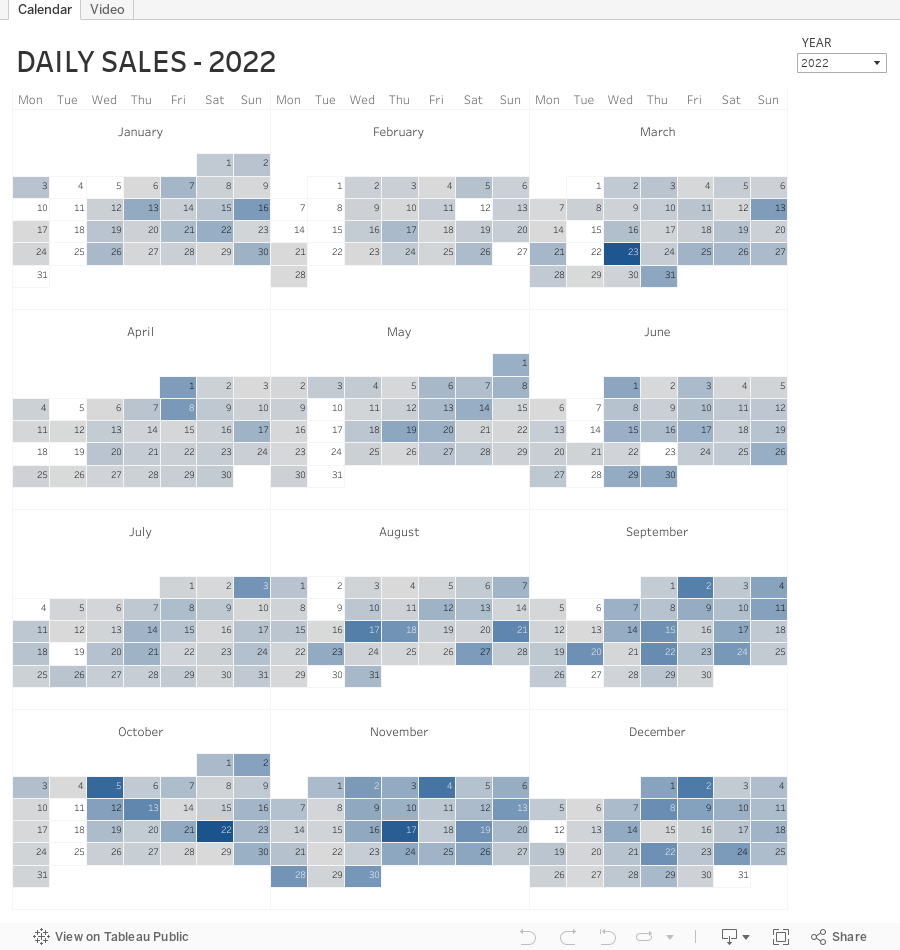
How to Create a Full Year Calendar Heatmap in Tableau

Calendar heatmaps are a great way to visualize time-series data over an entire calendar year. Individual days are shaded on a light-to-dark gradient based on a measure that has been added to the visualization.
Creating a heatmap for a single month in Tableau is pretty straightforward. It gets a bit more complicated when you want to view an entire year at once. In this tip, I going to show you, step-by-step, how to create a full year calendar heatmap in Tableau. The workbook is below this video to download.
July 6, 2021
#MakeoverMonday Week 27 - If Only _____ Voted

- To see across each metric in order to identify consistent blue or red patterns for an entire demographic (e.g., early voting or urban).
- To see if individual States always voted for Biden or Trump irrespective of the demographic (e.g., CA, MA, MD for Biden or KS, KY, LA for Trump).
May 25, 2021
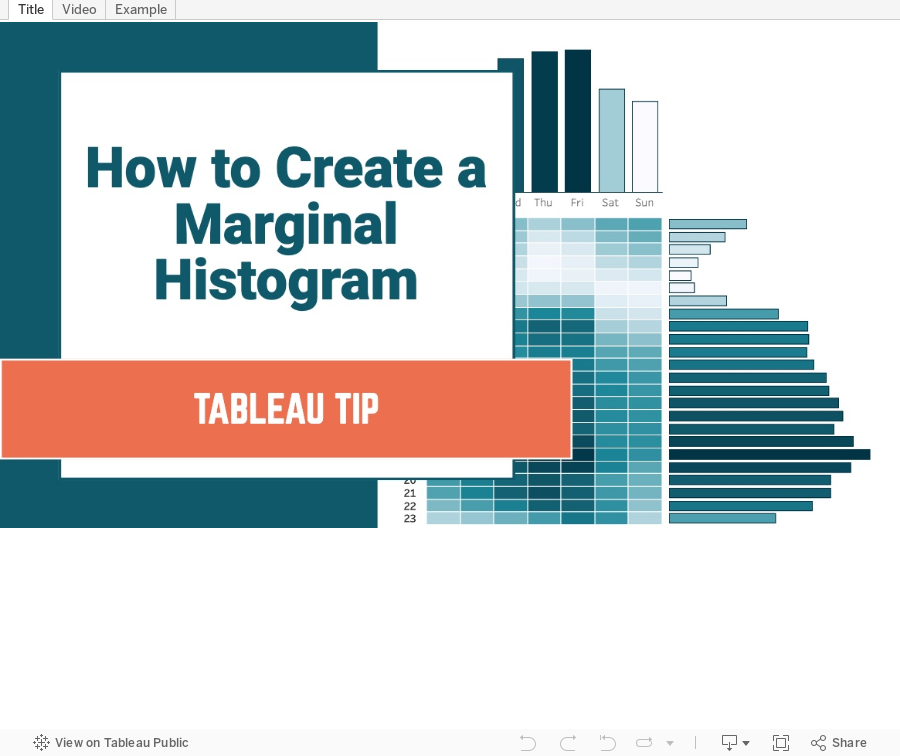
How to Create a Marginal Histogram

May 3, 2021
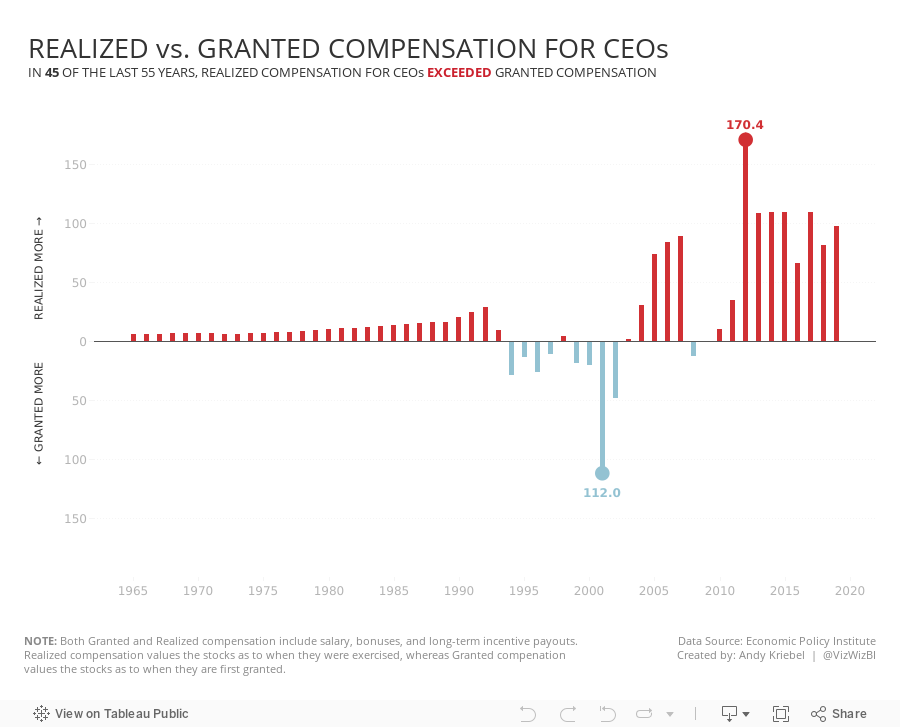
#MakeoverMonday 2021 Week 18 - Realized vs. Granted Compensation for CEOs

- Line Chart
- Stepped Lines
- Variance to baseline
- Win/Loss chart
- Comet Chart
- Gantt Chart
- Bar chart w/ reference line
- Connected scatter plot
- Slope Graph
- Circle Timeline
- Heatmap
- Data Set - https://data.world/makeovermonday/2021w18
- Chart chooser - https://datavizproject.com/
June 19, 2020
How to Get Your Data from Strava to Tableau
- Download the data from Strava
- Prep it with Alteryx
- Visualize it in Tableau

- My Alteryx workflow was a mess (I tinkered with it every month).
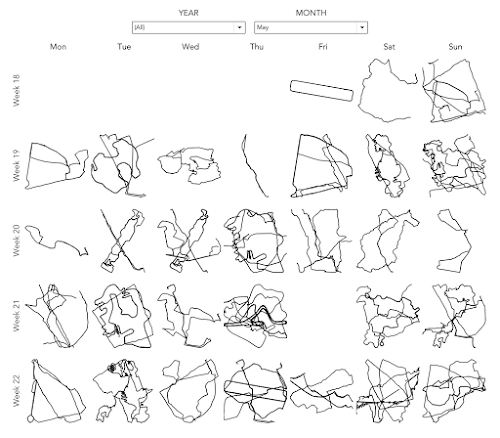
- Each of the routes would be adjusted to fit perfectly in a square.
TOOLS REQUIRED
- A Strava account - NOTE: Make sure you are logged in to Strava throughout these steps.
- Alteryx Designer
- Tableau Desktop
- Simple Mass Downloader Chrome extension
GET THE DATA FROM STRAVA


DOWNLOAD EACH ACTIVITY


ALTERYX PROCESS

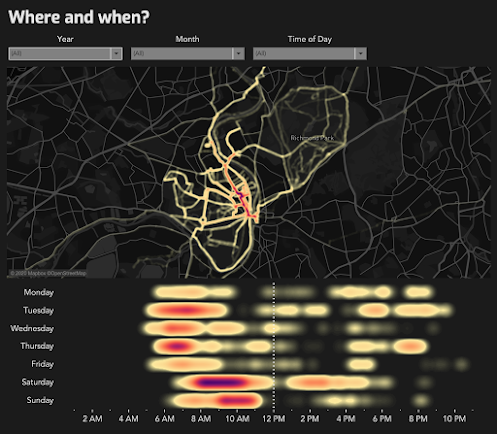
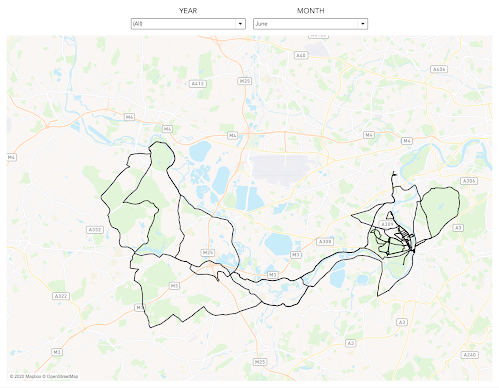
- Import the data, strip out the parts we need, then create points and lines.
- Normalize the data based on the calcs from Ken Flerlage, turn them into lines (one mark for each route rather than hundreds of point for each route) and export as a Tableau extract.
- For each point, calculate the distance, climb, etc. and extract all of the points.
- Take each of the points and turn them into lines.


TABLEAU PROCESS




October 31, 2018
Analyzing Pitcher Performance With Density Heatmaps
To give it a test, I downloaded every pitch for Clayton Kershaw and Justin Verlander (two of the best pitchers in Major League Baseball) from 2008-2018 from the great stats website Baseball Savant. Every time I look at baseball data, I'm amazed at the detail of the stats covered; the data far exceeds anything that is covered in other sports.
After downloading the data, I built the small multiples view below for each pitcher so that I could see their progression through the years. Click on the images for the interactive versions. I love how the data shows me how each pitcher has gotten better with their "misses" through their careers. For example, when they throw sliders for balls, they now tend to miss below the strike zone. This is a great sign that they have command of their pitches and are less likely to miss in an area where the batter can take advantage.
The density heatmap feature will most likely be used by most people on maps, which makes sense, but consider looking at it as an alternative whenever you need to plot x/y coordinates and have lots of points to display.






